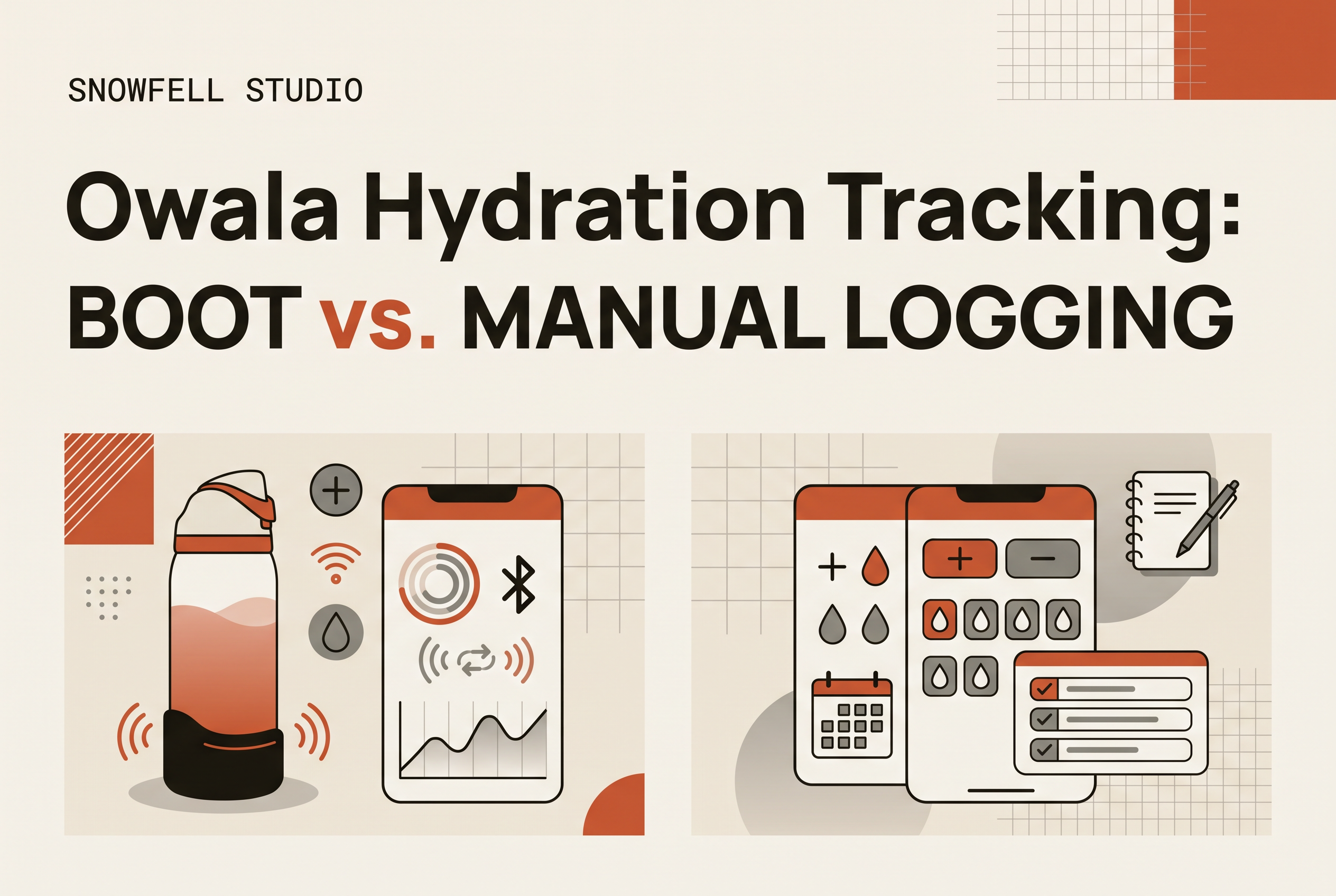
You can track hydration with the Owala you already own by tallying refills, logging each drink by hand in an app, or, once it launches, fitting a boot like Baseline that tracks for you. Which one fits depends on how much you hate logging.
The real choice isn't which app to download. It's how much effort you'll put up with, and for how many weeks. This guide compares the three routes with honest tradeoffs, so you can keep the bottle you love and still know how much water you drank. Baseline is an independent product and is not affiliated with Owala.
Can you track hydration with the Owala you already own?
Yes. Any Owala can be part of a tracking routine. You only need two things: the bottle's capacity and a way to count what you drink from it.
Start with the size. Owala FreeSip bottles come in sizes including 24 oz, 32 oz, and 40 oz. Check the size printed on your bottle or its packaging, because colors and lids look identical across sizes. Your count has to come from capacity, not from lines.
That shapes every method below. A full 32 oz refill is 32 oz. A half-finished bottle is a guess. For a deeper look at the math, see how many Owala bottles a day hits your water goal.
Method 1: Tally your refills (and where the count breaks)
Tallying refills is the cheapest method. Multiply the number of full bottles by your bottle's size. A 24 oz bottle emptied three times is 72 oz.
People do this with a rubber band moved to another finger of the bottle, a note on their phone, hash marks on a sticky note, or a time-marker sticker stuck on the bottle. It costs nothing, takes no setup, and works at a desk where the bottle sits in front of you all day.
It breaks in three places. First, partial drinks: you take half the bottle to a meeting, top it off, and the count is now wrong. Second, other containers: the glass at dinner and the coffee never make it into the tally. Third, memory. The tally lives in your head or on a scrap of paper, and by Thursday you've lost it.
Tally if you drink at a steady rhythm and finish bottles before refilling. Skip it if your day is scattered.
Method 2: Manually log partial drinks in an app
Manual logging in an app is the most accurate hands-on method, because you record every drink at its actual size instead of rounding to whole bottles.
Many hydration apps support custom container sizes and quick logging for each drink. Set your Owala as a custom container, tap after each drink, and the app totals your day and shows history. If you're browsing options, our rundown of water tracking apps: manual logs or automatic tracking covers the tradeoffs.
The weakness isn't the apps. It's you at 3 p.m. Logging works only while you remember to log, and the days you forget are the days you most wanted the data. A partial drink still needs an estimate (about a third? a half?), so the precision is only as good as your guess.
Choose this method if you like the ritual of logging and your phone is always in reach. If you've quit tracking apps before, expect the same ending.
Method 3: Baseline, the boot that tracks for you (prelaunch)
Baseline is designed as a tracking accessory for your Owala to help monitor intake without manual logging. It's built for people who dislike logging and don't want to replace a bottle they already love.
The idea is simple. You keep drinking from your own Owala, and the boot does the counting instead of you. You don't tap after each sip, move a rubber band, or estimate how full the bottle was. It's designed to fit any Owala, so the bottle on your desk, in your gym bag or on your nightstand stays the one you use.
Baseline is prelaunch. It isn't on sale yet, and the current way in is the early-access waitlist, with updates, testing opportunities and first access for people who sign up. Early access is the right fit if the main thing standing between you and tracking is the effort of logging, not a lack of apps.
Tally vs. logging vs. boot: which fits your day?
Pick by what you'll actually keep doing in week three, not by what sounds most precise on day one.
| Tally refills | Manual app logging | Baseline boot (prelaunch) | |
|---|---|---|---|
| Effort per drink | Low, but constant | Highest: tap every time | None: it tracks for you |
| Handles partial drinks | No | Yes, if you estimate | Built to track as you drink |
| Needs a phone in reach | No | Yes | App for history |
| New gear | None | App only | A boot on your existing Owala |
| Available today | Yes | Yes | Waitlist only |
A desk worker who finishes whole bottles can live happily with a tally. Someone who sips all day, switches containers and carries the bottle to the gym will watch a tally drift and a log lapse. That person is who the boot is for.
A gym-bag user is the clearest case. Hands are busy, the phone is in a locker, and nobody logs mid-set. A bedside user has the opposite problem: you drink at night half-asleep, and no one opens an app for that.
If you want to understand the sensing side of automatic tracking in general, how a smart water bottle works explains the basics.
Keep your Owala or switch to a smart bottle?
Keep your Owala unless the bottle itself is the problem. Switching to a smart bottle such as HidrateSpark means buying a different bottle and giving up the one you chose for its lid, its size and its color.
That's a poor trade if your only complaint is counting. The bottle you love is the one you actually carry, and carrying it is the whole habit. A smart bottle left on the shelf next to the one you still reach for tracks nothing.
There is a fair case for switching: if you don't own an Owala, or you want a tracking bottle with no extra parts and are happy to start over. But for owners, the cleaner path is to add tracking to the bottle you have, whether that's a rubber band today or a boot like Baseline later.
If you're still weighing it, hydration tracking water bottle: keep your Owala? goes deeper on the decision. And if you're here because of the latest color, our note on Owala color drops explains how releases work.
How to join the Baseline early-access waitlist
Joining takes under a minute. Open the Baseline page and submit the form.
The waitlist is how Baseline shares updates, testing opportunities and first access as the product moves toward launch. You don't need to give up your current bottle or change your routine while you wait. Keep tallying or logging in the meantime.
If logging is the part you've never been able to stick with, join the Baseline waitlist.
Keep your Owala, and stop doing the counting yourself
The best Owala hydration tracking is the kind you'll still be doing a month from now. Tallying is free but drifts, and manual logging is precise but depends on you remembering every drink. If effort is what ends your tracking streaks, the answer isn't a new bottle. It's taking the counting off your plate. Add your email to the Baseline early-access waitlist to get first access to the boot that tracks for you. Baseline is independent and not affiliated with Owala.