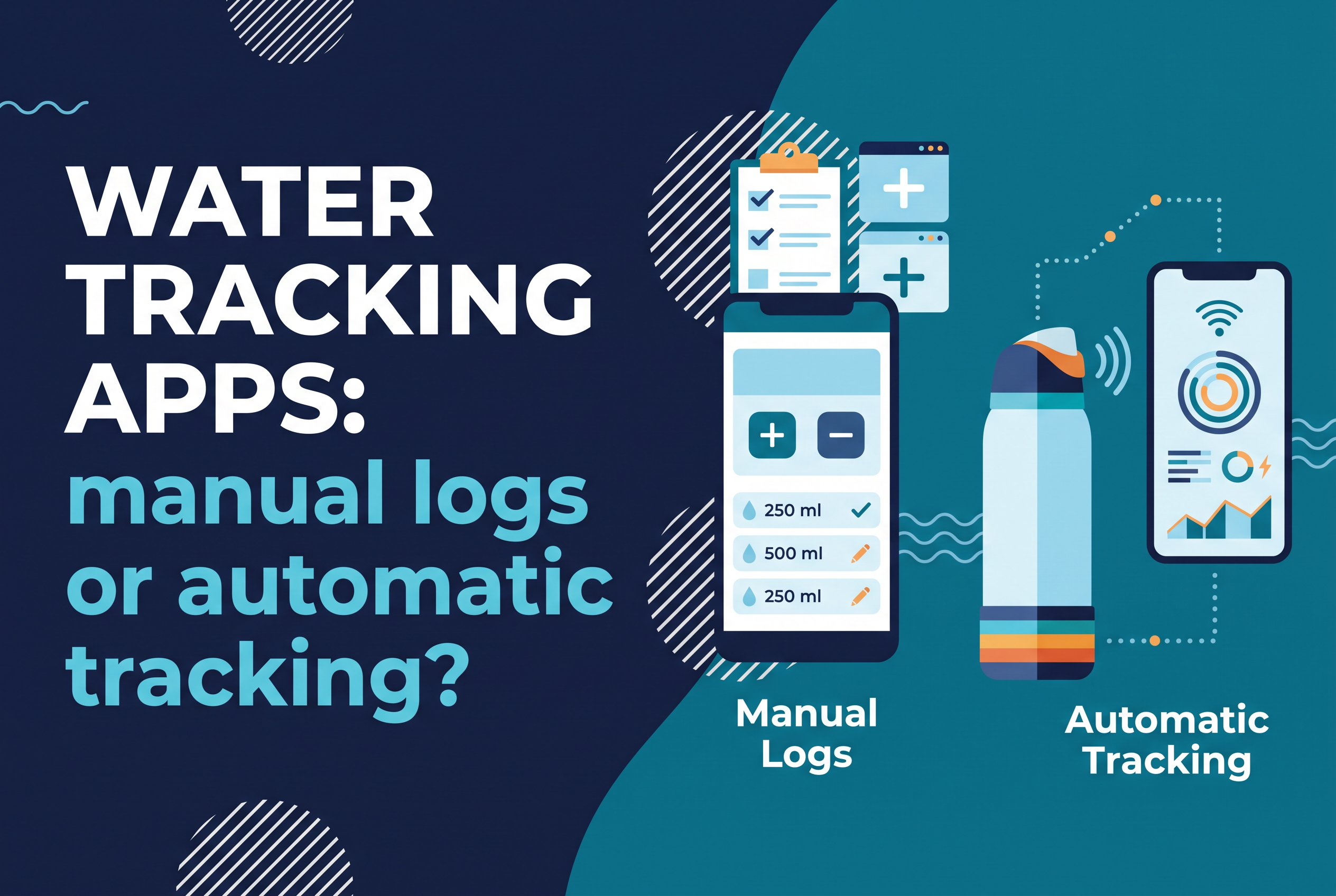
The best water tracking apps for most people are Waterllama, WaterMinder, Plant Nanny and Hydro Coach, and every one of them works the same way: you tell the app what you drank. If you've quit one of these apps before, the problem usually wasn't the app. It was the logging.
So the real choice is between logging and measuring. This post gives you five questions for picking a water tracking app, a fair look at the apps people name most, and an honest account of where automatic tracking fits.
What water tracking apps do (and what they leave to you)
Water tracking apps give you a daily goal, reminders, and a place to record each drink, then show your history and streaks. They don't know how much you drank. You tell them.
That's the core trade. An app can be beautiful, well reminded and synced to your watch, and it still depends on one human act: tapping a button after every glass, bottle or refill. Waterllama, for example, lets you pick from 150+ beverages or create a custom drink with its own hydration ratio as a premium feature. WaterMinder offers quick tracking, widgets, Siri Shortcuts and Apple Health sync. Both make logging faster. Neither removes it.
If you log reliably, that's fine. If you forget by 2 p.m., the data is wrong no matter how nice the interface is.
How to choose a water tracking app: five questions to ask
Choose a water tracking app by answering five questions: what platform you use, how much you'll pay, which drinks you need to log, how you want reminders delivered, and how much logging effort you'll tolerate. Be honest about the last one.
1. Which platform are you on? Waterllama's available listings show Apple platforms and do not show an Android listing; they include iPhone, iPad, Mac, Apple Watch, and Apple Vision. WaterMinder runs on iPhone and Android, with Apple Watch and Wear OS support. Hydro Coach and Plant Nanny cover iPhone and Android.
2. What will you pay? Nearly all of these are free with in-app purchases. Healthline lists WaterMinder at $1.99 monthly or $7.49 to $14.99 yearly, and Waterllama as free with an $8 lifetime option. Prices vary by store and change often, so check before you commit.
3. Do you log more than water? If coffee, tea and juice matter, look for a drink list with hydration ratios. Waterllama and WaterMinder both handle other drinks.
4. How do you want to be nudged? Widgets, Apple Watch logging and smart reminders are the common features. Pick the one you'll actually see.
5. Will you still log in week three? This question decides everything. If the honest answer is no, you need a different method, not a different app.
The apps people name most: Waterllama, WaterMinder, Plant Nanny, Hydro Coach, Apple Health
Waterllama, WaterMinder, Plant Nanny and Hydro Coach are the four apps that come up again and again, with Apple Health as the free built-in option. Here's how they compare on the criteria above.
| App | Platforms | Standout features | Pricing shown |
|---|---|---|---|
| Waterllama | iPhone, Apple Watch | 150+ drinks, custom drinks (premium), challenges, streaks, widget, Apple Health sync | Free with in-app purchases, $8 lifetime option |
| WaterMinder | iPhone, Android, Apple Watch, Wear OS | Personalized goals, widgets, complications, Siri Shortcuts, Apple Health sync | Free to download; $1.99 monthly, $7.49 to $14.99 yearly |
| Plant Nanny | iPhone, Android, Apple Watch | A plant that grows as you drink | Playable with ads; from $3.99 monthly |
| Hydro Coach | Android, iPhone, Wear OS, Apple Watch | Android health-app sync | $2.99 monthly or $19.99 yearly, plus lifetime option; ads on free Android |
| Apple Health | iPhone | Stores water data from other apps | Built in |
My ranking by the criteria above: WaterMinder wins on platform reach and watch support, Waterllama wins on drink variety and motivation, Hydro Coach wins for Android users who want health-app sync, and Plant Nanny wins if a game keeps you honest. Apple Health is a place to store and view data, not a tracker you drive day to day.
On free and private: the free tiers of these apps are enough to test a habit, but the full feature sets sit behind purchases. If you want no subscription at all, the one-time options (Waterllama's lifetime unlock, Hydro Coach's lifetime price) are the closest fit.
Every app in this table shares one trait: you do the logging.
Why manual logging breaks down, and what automatic tracking changes
Manual logging breaks down because it asks you to do a small chore at the exact moment you're thinking about something else. A glass at your desk, a swig between sets, a refill in the kitchen: each one is a missed tap waiting to happen.
Three failure modes show up again and again:
Batching. You log four drinks at once at 6 p.m. and guess the amounts.
Skipping. You drink without logging, so the daily total reads low and the guilt kicks in.
Quitting. The streak breaks once, and the app goes unopened.
Automatic tracking changes the job. Instead of recording what you remember, a device measures what you drink and the app displays it. You stop being the data entry clerk.
The tradeoff is real too. Automatic tracking needs hardware, so it isn't a free download, and it only measures what passes through the bottle it's attached to. A manual app can log the latte at the cafe. If you drink a lot away from your bottle, an app still has a place. For the person who carries one bottle everywhere, measuring beats remembering. For more on the bottle side of this decision, see Hydration tracking water bottle: keep your Owala?
Where Baseline fits: a boot for the Owala you already own (prelaunch)
Baseline is a flexible boot that slides onto an Owala bottle and automatically tracks your water intake, with history shown in an app. Snowfell Studio makes it for people who already love their Owala and don't want to replace it or log drinks by hand.
The pitch is simple: keep the bottle you already love. You don't buy a separate smart bottle, and you don't tap anything after each drink.
Baseline is prelaunch hardware. It isn't on sale yet, and it isn't a standalone app you can download today. The waitlist is open for updates, testing opportunities and first access.
It isn't the right tool for everyone. If your water comes from many cups and bottles through the day, a logging app covers more ground. If most of it comes from one Owala, Baseline is built for exactly that habit. If you're curious how many refills your own bottle size adds up to, How Many Owala Bottles a Day Hits Your Water Goal? walks through it by size.
Which approach suits you: a decision guide
Pick the approach that matches how you really drink, not how you wish you did.
You drink from many cups, mugs and bottles, and don't mind a quick tap: use a logging app. WaterMinder and Waterllama are the strongest all-rounders. Hydro Coach is the pick for Android health-app sync.
You need gamified motivation: Plant Nanny or Waterllama's characters and challenges.
You live in Apple's ecosystem and want data in one place: a logging app that syncs to Apple Health.
You own an Owala, carry it everywhere, and have quit logging apps before: join the Baseline waitlist and let a boot do the measuring.
You do both: keep a logging app for the coffee and tea, and let automatic tracking cover the bottle. They answer different questions.
The pattern is blunt. If you have a history of abandoned apps, more features won't fix it. Removing the logging step might.
FAQ: free apps, iPhone reminders, and the best app for tracking water intake
The FAQ below answers the questions people search most. The two that come up most: the best free water tracker app depends on your platform and how much you'll tolerate ads, and the best app for tracking water intake is whichever one you'll still be logging in a month.
If you hate logging, measure instead: join the Baseline waitlist
Water tracking apps are good at reminders, goals and history, but they all hand you the same chore. If you own an Owala and logging is where you always quit, the next step is to take the chore away. Join the Baseline waitlist at snowfellstudio.com/baseline for product updates, testing opportunities and first access.