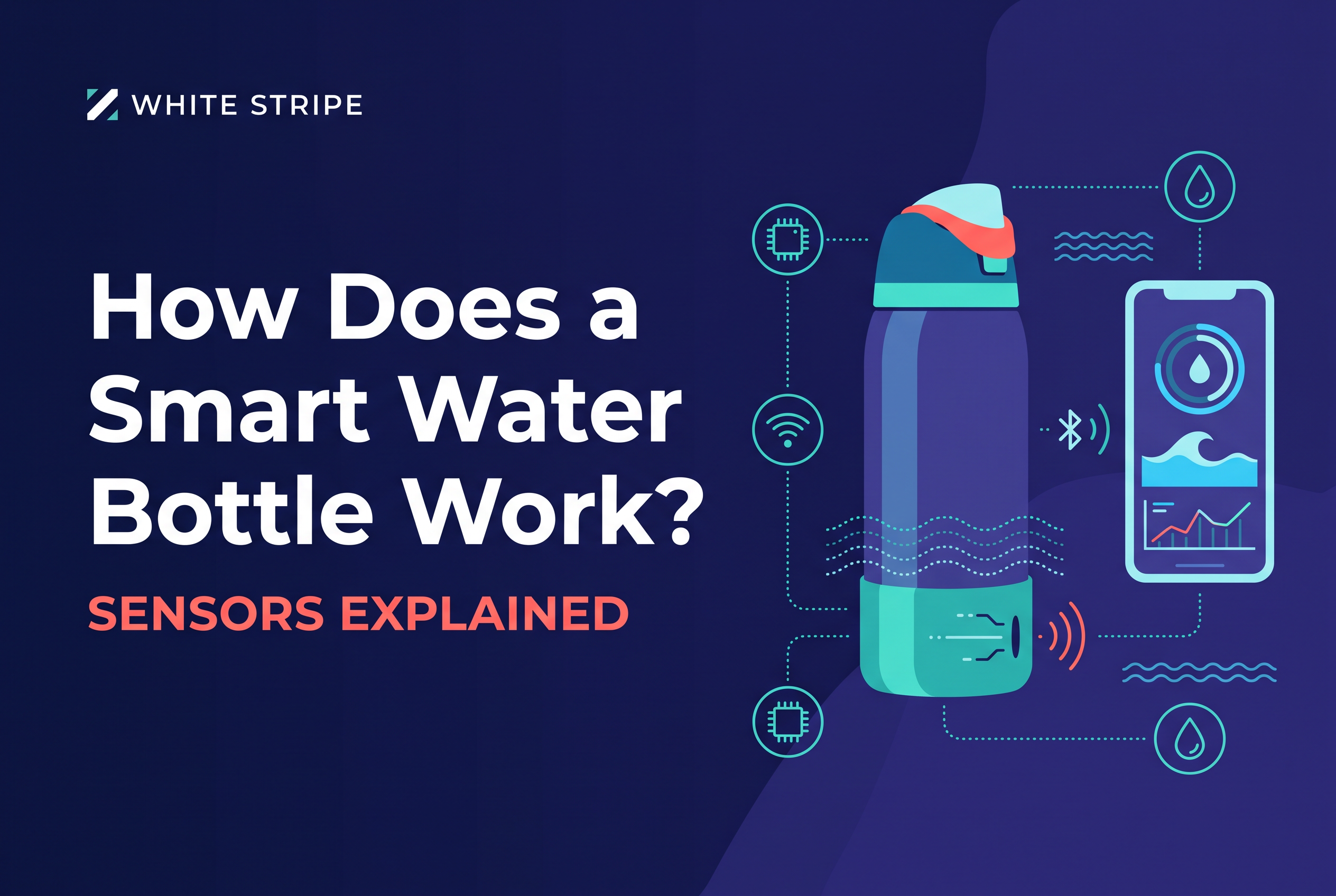
A smart water bottle pairs a sensor with a rule for what counts as a sip and an app that adds the sips up against your daily goal. The sensor measures something physical, usually weight or water level, the bottle's firmware decides which changes are drinks, and Bluetooth carries the result to your phone.
That is the whole trick. Every brand differs in the sensor and the rules, and those two choices decide how far you can trust the number on your screen. This post covers the sensing methods, how a bottle tells a drink from a pour, where the readings drift, and why a clean intake number still isn't a measure of how hydrated you are.
The short answer: a sensor, a rule for what counts as a sip, and an app
A smart bottle is three layers stacked together: a sensor that measures the bottle's contents, logic that converts changes in that measurement into drinks, and an app that stores and displays them.
Take HidrateSpark as a documented example. Its removable sensor puck sits in the base of the bottle and weighs the bottle and its contents. When the weight drops as you drink, its SipSense feature estimates the amount consumed, then syncs the sip record to the app over Bluetooth when your phone is in range. The bottle can also glow or play an alert as a reminder.
The app does the bookkeeping: totals, goals, history, reminders. The hard part is upstream. Turning a raw sensor signal into "you drank 6 oz" is a guess made by a rule, and good rules beat fancy hardware.
Sensor methods: weight, liquid level and flow
Weight sensing is the most common method in the bottles reviewed here, and it has the clearest public documentation. A load sensor in the base reads the total mass of bottle plus water. Water weighs a predictable amount per ounce, so a drop in mass maps to a volume consumed.
Three methods show up across the category:
Weight (load) sensing. Measures mass in the base. The HidrateSpark PRO 2 puck uses this approach: it measures weight before and after you drink, calculates the difference, and sends the sip data to the app. It is built to track with ice in the bottle.
Liquid level sensing. Estimates how high the water sits in the bottle, then converts height to volume. It depends on the bottle's shape being known and the bottle sitting upright.
Flow sensing. Measures liquid moving through the spout or lid. In theory it counts what passes your lips rather than what leaves the bottle, but it needs a fixed lid design.
WaterH says its Boost bottle uses built-in intake sensors and that they are 95%+ accurate, while customer reviews report tracking variation of up to 20% and personal tests around 10%. Treat any smart bottle's record as an estimate, not a measurement to the ounce.
A reading is only as good as its conditions. Weight and level sensing both want the bottle still, flat and upright, which leads straight into the next problem.
What should I check about battery life and Bluetooth on any smart bottle?
Check how long the battery lasts under daily use, how it charges or is replaced, and how syncing behaves when your phone is not nearby. Bluetooth bottles typically store readings and upload them later, but that varies by design, so look for the maker's own specifications. For product-specific details on a given brand, read its official documentation.
Drinking versus pouring: how a bottle decides what you actually drank
A bottle can't see your mouth. It sees a measurement change and applies a rule: if the contents dropped and the bottle then came to rest, log a sip.
HidrateSpark's own guidance shows the rule at work. After each drink or refill, set the bottle upright on a flat, stable surface for a few seconds so the sensor can measure the water level. If you don't, sips may not be tracked accurately. That settle-then-read step is the mechanism: the bottle compares the resting weight before and after.
This is also why a pour looks like a drink. If you tip water into a glass, a plant or a dog bowl, the mass drops exactly as it would when you sip. A weight sensor alone can't tell the difference. Firmware usually leans on heuristics such as how fast the weight changed, whether the bottle was tilted, and how large the drop was, and none of them is perfect.
The practical fix is on you. Drink from the bottle you track, and log drinks from other containers manually. HidrateSpark's app supports manual entries for drinks taken from another container.
Refills, ice and set-down habits: where the numbers drift
Three habits cause most of the drift in smart bottle data: refilling mid-day, adding ice, and not setting the bottle down properly.
Refills. A refill is a weight increase. A bottle has to recognize that rise as water being added, not as a negative drink, and reset its baseline. If you top up a half-full bottle and take a drink before the bottle has settled, the sip can get absorbed into the refill.
Ice. Melting ice does not change the total mass of water and ice remaining inside a closed bottle. Adding ice does change that mass, so check the maker’s instructions for refills and ice rather than assuming every sensor handles them the same way.
Set-down habits. Sensors that read at rest need you to rest the bottle. Carry it around, sip while walking, and put it down on a slope or a moving car seat, and the reading suffers. A bottle that is lifted and replaced several times between measurements can merge several sips into one entry.
None of this makes the numbers useless. A daily total is good for trends and goal pacing, not for settling an argument about 4 ounces.
Intake is not hydration status: what a bottle can and can't tell you
A smart bottle records what goes in. It says nothing about what the body loses or retains.
Hydration depends on the balance between intake and losses through urine, breathing, bowel movements and especially sweat, and sweat loss swings with heat, activity, clothing and the individual. So 64 oz logged on a cool desk day and 64 oz logged during a hot long run are not the same hydration event.
For a rough everyday check, Mayo Clinic says infrequent thirst and pale-yellow urine can suggest adequate intake. Neither signal is definitive. Urine color shifts with foods, supplements and medicines, and thirst alone can miss fluid deficits. During exercise or heat, comparing body weight before and after activity gives a better estimate of fluid loss.
Use the bottle for what it does well: making your intake visible so a goal doesn't depend on memory. Don't read a green progress ring as proof you're hydrated. If you have a clinician-set water target, the bottle helps you see progress toward it, and the clinician is the one who interprets it.
Where Baseline fits: a boot on the Owala you already own
Baseline is designed as a flexible boot that fits onto an Owala bottle to help track water intake.
That is a different route to the same goal as the bottles above. Instead of buying a purpose-built smart bottle, you add the tracking to the one you already carry, so there is no manual logging and no switching away from your Owala. Baseline is prelaunch, and the waitlist at snowfellstudio.com/baseline is open for updates, testing opportunities and first access.
If you're weighing a new smart bottle against keeping your current one, the trade-offs are laid out in Hydration tracking water bottle: keep your Owala?. And if your real question is how many refills reach your goal, see How Many Owala Bottles a Day Hits Your Water Goal?.
Questions to ask any smart bottle maker before you trust the numbers
Before you trust a smart bottle's total, ask the maker five things and expect a specific answer to each:
What does the sensor measure? Weight, level or flow. "Advanced sensing" is not an answer.
What counts as a sip? Ask how it separates a drink from a pour or a refill.
What happens with ice and refills? Ask whether tracking holds up with both.
What accuracy is published, and under what conditions? WaterH's 95%+ claim and reports of tracking variation up to 20% show why the test conditions matter.
What do I have to do? If the bottle needs a few seconds flat on a surface after every sip, that's part of the cost of the numbers.
A maker who answers these plainly has probably thought about the rules, not just the hardware. If you want to compare how manual and automatic approaches handle all this, Water tracking apps: manual logs or automatic tracking? goes through it.
Which smart bottle is best for hitting a hydration goal?
No bottle is best for everyone, because the right choice depends on the bottle you already like and how much you trust its readings. For goal tracking and app sync, ask how a drink is detected, whether totals sync after you set the bottle down, and what happens when the phone is out of range. Baseline is a boot for Owala owners who want automatic tracking, with water history in an app, without replacing their bottle.
How should I read reviews of smart bottle tracking?
Read reviews for patterns about accuracy over weeks, not feature lists. Look for comments on refills, ice, and setting the bottle down at odd angles, since those are where totals drift. Treat any review as one person's setup, and check a bottle yourself by drinking a known amount and comparing the app.
How do I judge a smart bottle review for tracking and reminders?
Judge it by whether the reviewer tested accuracy against a measured amount of water, not just whether the app looked good. Reminders are easy to add, while reliable sip detection is the hard part, so weigh tracking quality first. Ask how long the reviewer used it and whether totals held up with refills and ice.
Is there a single best smart water bottle for 2026?
There is no single best. Models and apps change often, and the right pick depends on what you want measured and how much accuracy you need. A better approach is to check how each one detects a sip, how it handles refills and ice, and how you would verify its totals against a glass you measured yourself. Baseline is not yet on sale. It is a waitlist-stage boot for Owala owners.
How do smart bottle reminders and app tracking compare?
Compare them by what triggers a reminder and how the app records a drink, not by feature count. A reminder is only useful if the underlying tracking is trustworthy, so test the totals before relying on nudges. Ask whether the app logs automatically, shows history, and lets you correct a bad reading. For Baseline, the app shows water history.
Trust the trend, then pick the tracking that fits the bottle you carry
A smart bottle is a sensor plus a sip rule plus an app, and its totals are good for pacing a goal, not for diagnosing hydration. Judge any bottle by its sensor, its rule for drinks versus pours, and how it handles refills and ice. If you'd rather keep your Owala than replace it, join the Baseline waitlist at snowfellstudio.com/baseline and get first access when testing opens.